Laptop
A portable computer is also a compact heat-management system.
A laptop brings a screen, keyboard, computer and rechargeable energy store into one hinged object. This representative metal-bodied design uses aluminium for structure and heat spreading, copper for electrical and thermal paths, and silicon for computation. Its thinness depends on precisely arranged layers rather than one remarkable material. Plastic-bodied, fan-cooled and differently equipped laptops can have substantially different constructions.
Start with a part, then follow a material. No specialist knowledge needed.
Inside the object
Original conceptual illustration. Numbers open the component index; their positions are illustrative, not a disassembly guide. Equivalent text follows beside the diagram.
1Enclosure and hinge
An aluminium-alloy enclosure supports the screen and circuit assemblies while spreading some heat across its surface. Steel hinge parts resist repeated opening loads. The alloy, thickness and joints matter together: a metal outer shell does not establish how easily the computer can be serviced.
2Display assembly
A representative LCD display controls transmitted light through a layered panel, with thin-film electronics addressing pixels and polymer optical films managing the illumination. Its specialized glass is not necessarily ordinary window glass. OLED laptops use a different light-producing stack, so this outline is not a universal screen recipe.
3Logic board and connections
Silicon chips perform computation and memory functions while copper tracks connect them across an insulating board. A common rigid board combines glass reinforcement and epoxy; tin-rich solder joins components. Small connectors and protective coatings add further materials that this overview does not attempt to inventory.
4Battery pack
Lithium-ion cells store chemical energy for use away from a socket. Graphite is a common negative-electrode material, while the positive-electrode chemistry varies. Lithium is present in compounds and ions, not a loose piece of lithium metal inside the representative rechargeable cell.
5Keyboard and touchpad
Moulded keycaps and small mechanisms turn finger movement into electrical input. Copper conductors also help the touchpad detect changes associated with a finger. Surface coverings, switch mechanisms and sensor layouts vary, so their appearance alone cannot identify the exact polymer or glass formulation.
6Thermal path
Why these materials?
Portability makes several material requirements compete for the same space. A battery occupies volume that could otherwise hold cooling hardware; a thinner enclosure needs careful support around the hinge and keyboard. Heat must travel out of the chips without making every touch surface uncomfortable. Electrical insulation must coexist with deliberate thermal conduction. These competing paths help explain why a laptop is an assembly of specialized layers. A replaceable storage drive or battery can preserve useful service, but access, compatible parts and continuing software support are separate design decisions.
One object, many versions.
The illustration represents an aluminium-bodied laptop rather than a particular model. Other designs use polymer housings, magnesium alloys, touchscreen cover glass, OLED panels or detachable keyboards. Memory and storage may be socketed or soldered. Battery chemistry, cooling hardware and the amount of recycled material require model-specific documentation; neither price nor exterior finish reliably reveals them.
What happens after use?
Before transferring a working laptop, back up needed files, remove personal accounts and use the manufacturer’s supported data-erasure process. Check whether an approved repair or compatible upgrade can restore service. Keep damaged or swollen batteries in professional care. At the end of useful life, use an electronics collection route that accepts the complete device and its battery.
Familiar things, connected.
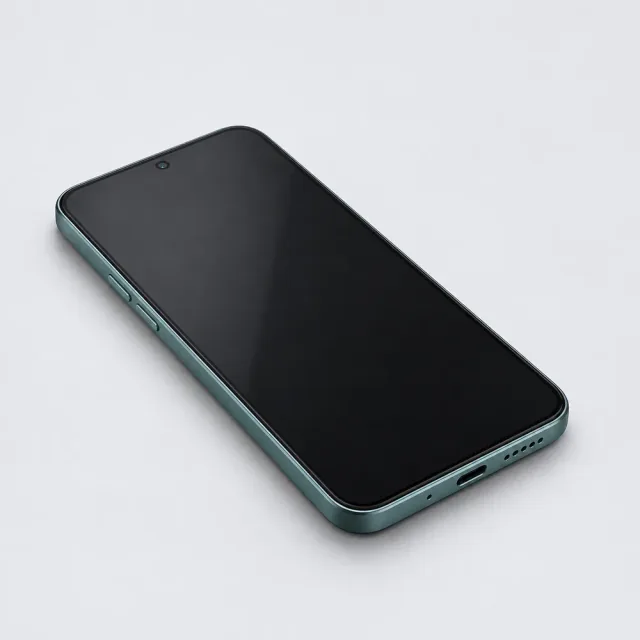
Mobile phone
A small meeting place for very different materials.
Keyboard
A repeated press becomes a reliable electrical decision.
Computer mouse
A small camera turns surface texture into movement.
USB flash drive
Information remains as an electrical state, without a spinning disk.
Follow the evidence
Original explanations informed by the sources below. Technical and industry sources support material behaviour; industry environmental marketing is not treated as a universal comparison. Read our editorial method.
- MacBook Air with M4: Product Environmental Report ↗Apple · 2025-03-05 · Checked 2026-11-14
- LCD, Direct View LED and OLED Explained ↗LG Electronics · Undated · Checked 2026-11-14
- IS410 FR-4 Epoxy Laminate and Prepreg ↗Isola Group · 2025-09-17 · Checked 2026-11-14
- Lithium-Ion Battery Recycling: how cells work and how chemistries differ ↗U.S. Environmental Protection Agency · Undated · Checked 2026-11-13
- Electronics Donation and Recycling ↗United States Environmental Protection Agency · Undated · Checked 2026-11-14
- Aluminum Production and Processing ↗The Aluminum Association · Undated · Checked 2026-11-13
- Mineral Commodity Summaries 2026 — Aluminum ↗U.S. Geological Survey, National Minerals Information Center · 2026-05-27 (version 1.3) · Checked 2026-11-13
- General principles for selection of stainless steels ↗British Stainless Steel Association · Undated · Checked 2026-11-13
- Recycling ↗worldstainless · Undated · Checked 2026-11-13
- Silicon — element information, properties and uses ↗Royal Society of Chemistry · Undated · Checked 2026-11-13
- Mineral Commodity Summaries 2026 — Silicon ↗U.S. Geological Survey, National Minerals Information Center · 2026-05-27 (version 1.3) · Checked 2026-11-13
- Solar Photovoltaic Manufacturing Basics ↗U.S. Department of Energy · Undated · Checked 2026-11-13
- How Do I Recycle Common Recyclables ↗U.S. Environmental Protection Agency · Undated · Checked 2026-11-13
- Polyesters (Thermoplastic) PETP, PBT, PET ↗British Plastics Federation · Undated · Checked 2026-11-13
- Melt Spinning ↗Textile Exchange · Undated · Checked 2026-11-13
- Microplastics from textiles: towards a circular economy for textiles in Europe ↗European Environment Agency · 2022 · Checked 2026-11-13
- Mineral Commodity Summaries 2026 — Copper ↗U.S. Geological Survey, National Minerals Information Center · 2026-05-27 (version 1.3) · Checked 2026-11-13
- Copper Life Cycle ↗International Copper Association · Undated · Checked 2026-11-13
- Composite materials: Materials ↗Composites UK · Undated · Checked 2026-11-13
- Guidelines and Recommended Practices for Fiber-Reinforced-Polymer Architectural Products ↗American Composites Manufacturers Association · 2016 · Checked 2026-11-13
- End of Life and Recycling ↗Composites UK · Undated · Checked 2026-11-13
- Epoxies EP ↗British Plastics Federation · Undated · Checked 2026-11-13
- Tin — element information, properties and uses ↗Royal Society of Chemistry · Undated · Checked 2026-11-13
- Mineral Commodity Summaries 2026 — Tin ↗U.S. Geological Survey, National Minerals Information Center · 2026-05-27 (version 1.3) · Checked 2026-11-13
- Lithium — element information, properties and uses ↗Royal Society of Chemistry · Undated · Checked 2026-11-13
- Mineral Commodity Summaries 2026 — Lithium ↗U.S. Geological Survey, National Minerals Information Center · 2026-05-27 (version 1.3) · Checked 2026-11-13
- Technology Strategy Assessment — Lithium-ion ↗U.S. Department of Energy · 2023-07 · Checked 2026-11-13
- Mineral Commodity Summaries 2026 — Graphite ↗U.S. Geological Survey, National Minerals Information Center · 2026-05-27 (version 1.3) · Checked 2026-11-13
- Acrylonitrile Butadiene Styrene (ABS) and Other Specialist Styrenics ↗British Plastics Federation · Undated · Checked 2026-11-13
- Plastics Processes ↗British Plastics Federation · Undated · Checked 2026-11-13